I have a Samsung Series 9, which was renamed to the Ativ Book 9 in recent years, so they may have improved on some of the below issues.
1. Some of the media keys don't work on Windows 8, even with Samsung software (laptop shipped with Windows 7, and they offered limited support with Windows 8).
2. The touchpad is awful. I can click on some right sides of the touchpad and it left clicks, or sometimes it right clicks when I click on the left side. My old netbook and dell laptops had much better touchpads. Thankfully, the touchpad is rarely used.
3. Usb or mini hdmi devices sometimes disconnect if I wiggle or bump the plug.
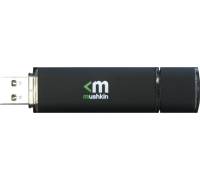
4. Ports are too close together. I have 3 or 4 flash drives (some fairly slim - http://www.testberichte.de/imgs/p_imgs/Mushkin+Ventura+Pro+%...), and none of them fit in the left port, because they hit the power cable. In the right port, they're also tight if I have headphones plugged in. You really need to be careful with the cables and devices you own, because you only have a millimeter or two of clearance between them.
5. The power cable on the side is annoying. When I move the laptop when it's plugged in, the cable always wants to fold under the device. I guess it's better than my dell, where the cable would pull out the back at the slightest movement.
6. Battery life is poor. I keep the battery saver enabled, which only charges the device to 80%. It goes from 80% to dead in about 1 to 1.5 hours, with just general browsing on the internet.
On the plus side, the screen is perfect, it's extremely lightweight, very quiet, it's now my favorite keyboard, and it's fast enough for everyday work. So, it has flaws, but it's the best laptop I've owned to date, and I'd either buy the newer model or one of apple's offerings the next time around.
Only difficulty you might run into is adapting applications to scale text and graphics up, as the screen's DPI is very high. For example, Chrome's bars (navigation, tabs and bookmarks) are still sized in fixed number of pixels and look painfully small.
(Given your mention of a career, I'm going to assume he is at the stage where he can write programs to do stuff, but wants to move to the next level.)
To get better at programming, you need to do more than learn to program (languages, semantics, frameworks, etc.): you need to learn to think link a programmer. In this, there aren't many shortcuts: it requires study and practice.
Here are some great subjects to look into to get him started:
One thing that will probably help him advance a LOT is learning a language that does things completely differently than the one he's using. If he'd like to try that, this book looks good (haven't used it myself but the choice of languages is pretty good): http://pragprog.com/titles/btlang/seven-languages-in-seven-w...
I'm sure there's a lot more to be said on the subject, but that's a start off the top of my head. What he should start looking into really depends on his specific weaknesses and/or preferences.
HipHop programmatically transforms your PHP source code into highly optimized C++ and then uses g++ to compile it. HipHop executes the source code in a semantically equivalent manner and sacrifices some rarely used features such as eval() in exchange for improved performance. HipHop includes a code transformer, a reimplementation of PHP's runtime system, and a rewrite of many common PHP Extensions to take advantage of these performance optimizations.
Although it's safe to assume you won't have scalability problems right out of the gate either.
Once you have tens of thousands of hits a week presumably you can port to HipHop yourself ( http://github.com/facebook/hiphop-php ). Needing to scale is a great problem to have.
I completely agree, the best problem in the web world. That's why I'm trying to think of it now because I open the doors to a project I'm developing for myself.
It details how the author built mixtape.me starting with basically zero experience, and is quite worth your while.
The advice below uses Rails as the framework, but will work whichever one you choose. The steps stay the same: build a basic app with help (from a book, tutorial, etc.) to understand the framework/language, start building what you want to create and learn at the same time.
What I'd suggest is to obtain a copy of "Agile Web Development with Rails (4th edition)" (http://pragprog.com/titles/rails4/agile-web-development-with...). Side note: it's not published yet, so make sure you get the beta version (an e-book version, and you'll be notified of updates as content is modified/added).
Then read through the book while building the example application in the book (a basic shopping website). This approach is great, because you learn by doing and you also get to glance at agile methodologies.
Once you've gone through the toy app and understood it, you'll be quite proud of yourself and will be able to build simple things already.
At this point, you should start to work on your own idea, it's much more motivating and you'll always learn the most when working on a "real" project.
To be noted: the Rails book does assume you have passing familiarity with Ruby (or at least a programing language), HTML, etc. If you need/want to learn programming first, you should probably also get an appropriate book on the subject, such as "Learn to Program (2nd edition)" (http://pragprog.com/titles/ltp2/learn-to-program) or, if you're more advanced, the Pickaxe (http://pragprog.com/titles/ruby3/programming-ruby-1-9).
Oh, and the reason I mention PragProg books isn't because I'm affiliated with them (I'm not), but because I have yet to get one of their books that doesn't live up to my expectations.
I haven't used them in production, but I've started playing around with their voice API and it's pretty neat.
Also, you get $30 credit (for free) when signing up for a test account, so that should be more than enough to fiddle with tests and get your integration up and running.
Twilio really does rock. Super easy to use and get started and there are other providers that provide Twilio API compatibility in case you ever need it.
I've been using a Dell XPS 1530 with an SSD, and couldn't be happier.
All the stuff I've tried worked out of the box (built-in wireless, webcam, sound, graphics card w/ NVidia driver, etc).
It's a great laptop and the SSD and 4 Ggis of RAM make coding much more enjoyable.
As a side note, it takes 5-10 seconds to boot into Kubuntu from a complete shutdown (i.e. not suspend-to-disk), whereas it takes over 45 seconds to get into Vista (on the same laptop)... And Windows isn't starting up database and web servers.
So if you want to get a PC, definitely look into the XPS 1530.